Thursday, September 21, 2017

About Multi-diag truck FAQ

1.What DAF truck models WAS MULTI-DIAG TRUCKS support diagnosing?
The following models are supported:
65CF
75CF
85CF
95XF
CF65
CF65IV
CF75
CF75IV
F75
F65
F55
F45
CF85
CF85IV
F85
F95
LF45
LF45IV
LF55
LF55IV
XF105
XF95
Beside DAF truck, MULTI-DIAG TRUCKS also support diagnosing more than 60 brand trucks like MERCEDES BENZ, MAN and SCANIA, including 1000 electronic control systems. MULTI-DIAG TRUCKS is the most powerful diagnostic tool for heavy duty and bus; it covers all European trucks, buses and light vehicles. Multi-Diag truck is developed in Europe, the data is absolute accurate
  1. What electronic control systems of DAF trucks WAS MULTI-DIAG TRUCKS support diagnosing?
The following systems are supported:
ABS C, Anti lock braking system
ABS D, Anti lock braking system
ABS E, Anti lock braking system
ABS/ASR D, Anti lock braking System
ACH-EA, Auxiliary Heater
As Tronic, Gearbox with electronic control
DIP-4, DAF Instrument Panel
DMCI, Multi-Controller Injection
DTCD, Digital Tachograph
EAS2, Exhaust gases treatment
EBS 2, Electronic Braking System
EBS. Electronic Braking System
ECAS 2 4X2, Electronically Controlled Air suspension
ECAS 4, Electronically Controlled Air Suspension
ECAS-1, Electronically Controlled Air Suspension
ECAS-2 6×2,Electronically Controlled Air Suspension
ECAS-3,Electronically Controlled Air Suspension
ECS-DC3, Engine Control System – DAF Cummins
ECS-DC4, Engine Control S]/Stem – DAF Cummins
EST-32.Retarder
EST-42, Retarder
EST-52, Retarder
Service-2, Maintenance
service, Maintenance
UPEC, Unit Pump Electronically Controlled
Vic, Vehicle central computer
vic-2, Vehicle central computer
VIC-3, Vehicle central computer

  1. What function MULTI-DIAG TRUCKS support for DAF trucks?
MULTI-DIAG TRUCKS supported function for DAF trucks: Dignose, Messwearte, Ecu Date, Stellglieder, Steuergerate-Daten, Parameter, Kalibrieren, Rucksetzen, Manueller Prozess
For more details about MULTI-DIAG TRUCKS function list, please check the  column “technical support” or the “Related Download Files”.
Note: Because the truck electronic system updating cycle is a little long, usually it will spend 3 -5 years until the new function is released, therefore, even in 2015 but your truck was manufactured in 2012, our MULTI-DIAG TRUCKS will still work with your car. However, we will keep developing for our users the newer and reliable software with new function.

  1. Does MULTI-DIAG TRUCKS Diagnostic tool only diagnose trucks?
No, not only trucks, except trucks, MULTI-DIAG TRUCKS also support light commercial vehicles, special vehicles, tractor, agricultural vehicles, trailer and bus. For more specific supported models, please download from our column “Technical support/service” or under “Related Download Files”.

  1. What language WAS MULTI-DIAG TRUCKS is available with?
MULTI-DIAG TRUCKS is available with 17 common languages from more than 180 countries.
Language available:

ENGLISH,
SPANISH
FRANCH
RUSSIAN
ITALIAN
PORTUGUES
GERMAN
DUTCH
SWEDISH
CZECH
CROATIAN
HUNGARIAN
RUMANIAN
SERBIAN
DANISH
FINNISH
POLISH

  1. Is MULTI-DIAG TRUCKS only a multi-functional diagnostic tool for truck, bus and engineering vehicles?
No, MULTI-DIAG TRUCKS is not only an original diagnostic tool whose DTCs and data stream is absolute accurate, it is even more like a heavy duty encyclopedia, as Michelle and Alldata, Multi-Diag trucks also contains maintenance information, manual, circuit diagram and device parameters.
7. Can MULTI-DIAG TRUCKS replace NEXIQ USB-LINK In the function?
No, NEXIQ USB-LINK, DGTECH DPA5 and CAT CA2 are all RP1210A/B compatible devices; they are American standard and mainly work with American vehicles. MULTI-DIAG TRUCKS mainly work with the famous European and Russian vehicles, MULTI-DIAG TRUCKS also work with a part of American vehicles.
8, Compared with the other tuck diagnostic tools, what advantages MULTI-DIAG TRUCKS owns?
  • Compared with the American OTC Genisys EVO®, which is more powerful in working with American vehicles and OBD protocol vehicles. MULTI-DIAG TRUCKS is more powerful in diagnosing European heavy duty, such as: Germany Mercedes Benz, MAN, DEUTZ, Sweden Volvo, Scania, French Renault and more models.
  • WAS MULTI-DIAG TRUCKS is developed by the cooperation of Actia and JALTEST, and MULTI-DIAG TRUCKS hardware is also designed by the same master who also designs JALTEST LINK hardware, but Spanish JALTEST LINK is more attentive to hardware. Besides with best hardware, Actia MULTI-DIAG TRUCKS software is also the best in the world, therefore, it will be amazing to troubleshoot truck trouble with MULTI-DIAG TRUCKS.

How to install I-2016 Actia Multi-Diag Access J2534 Pass-Thru?

Here is I-2016 Actia Multi-Diag J2534 software installation guide step by step for you! Check below and start!


Step 1
Open Actia Multi-Diag 2016 software “I 2016_36.05 (E:) “.
Copy SN 033918.txt to desktop and open Actia Multi-Diag 2016 setup.exe.
You will see Multi-Diag Office InstallShield Wizard.
Click “Next”, “I accept…” then “Next”.
Copy the SN “033918” from txt file and click “Next”.
Select the setup type: USA.
Then choose “Profile ACTIA (Standard)” option.
Wait it complete and you will see the Multi-Diag shortcut on desktop.
Choose the “restart computer” option and click “Finish”.
Step 2
After that it will automatically pop up a Found New Hardware Wizard for Pass-Thru XS USB Driver.
Choose “Install the software automatically (Recommended)” option and click “Next” then “Finish”.
Now you can find the Pass-Thru XS USB Driver already exist.


Step 3
Then you can see a Found New Hardware Wizard for USB Pass-Thru Driver (Multi-instance).
Choose “Install from a list of specific location” option and click “Next”.

Check the box “Include this location in the search” then choose C: disk→ ACTIA→ Drivers VCI→ PT1G.
Click “Next” then “Finish”.
Now you can use Actia Multi-Diag 2016 diagnostic software!

Tuesday, September 19, 2017

How to Install, Activate and Download Vpecker Easydiag India Version

How to install, activate and download wifi Vpecker Easydiag India version diagnostic tool software?


1. Running Environment

 Hardware Environment:
Windows laptop, PC or PAD
CPU speed: more than 1.0G Hz
Memory: more than 1GB
Disk: more than 32 GB
Communication port: Wi-Fi or Bluetooth
 Software Environment:
Windows XP, Windows 7, Windows 8, Windows 10

2. Vpecker India Software Installation

2.1 Client Downloading

Access to website: http://www.idutex.com, and then download the file “VPECKER-IN-SETUPVx.xx”

2.2 Client Setup

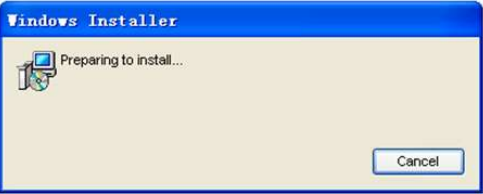
Unzip VPECKER-IN-SETUPVx.xx and run setup.exe:


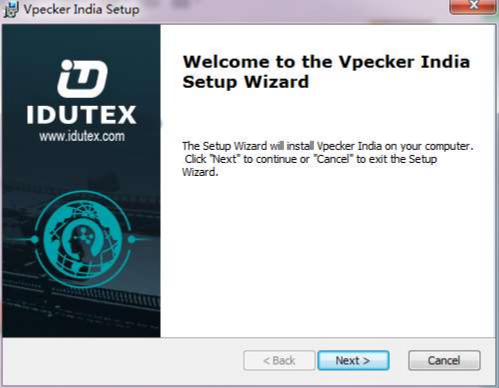
Please click “Next”.

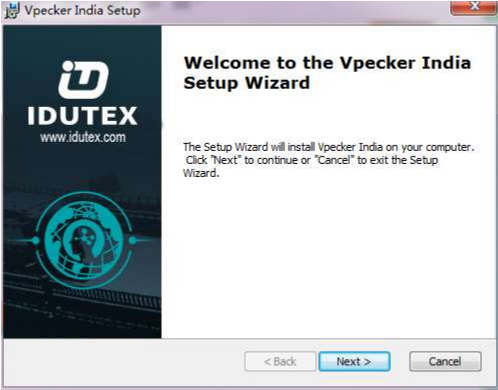
Please click “Next”.

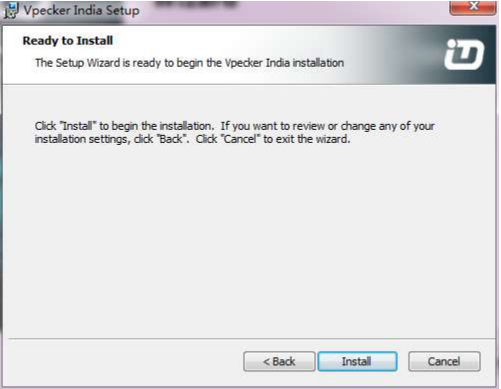
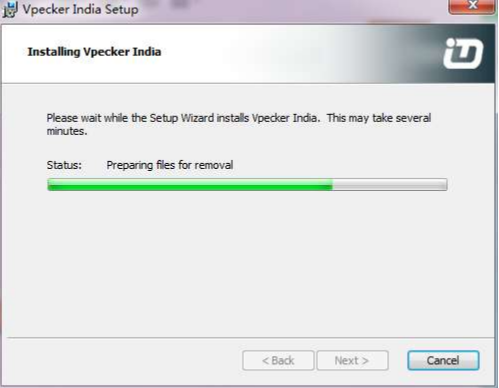
Please click “Install”.


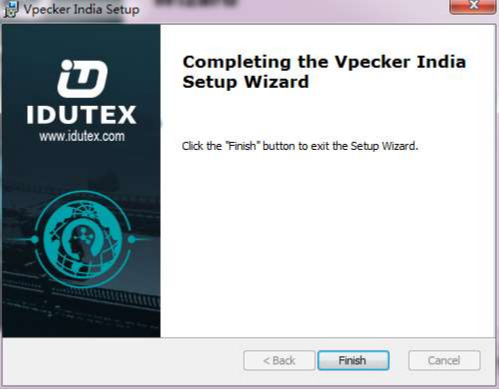
Vpecker India diagnostic service system installs successfully.

3. Software Activation and Downloads

3.1 Vpecker India Software Activation

At first, please keep network working. Run Vpecker India APP, then click “Online Store” to get applications.

Please wait…


Please click “Online Store”.

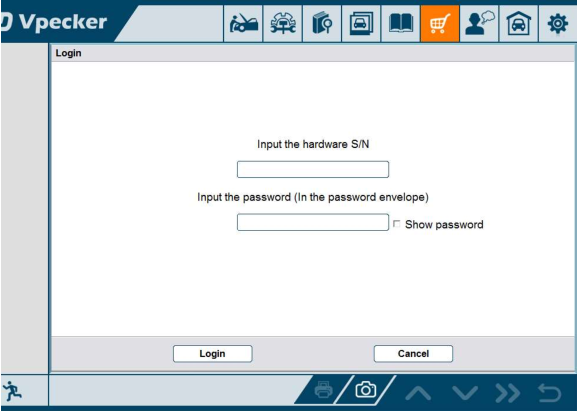
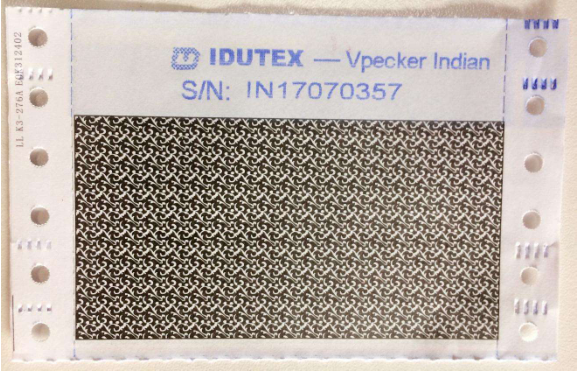
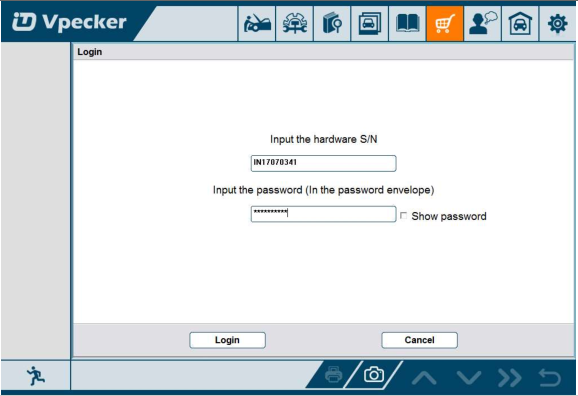
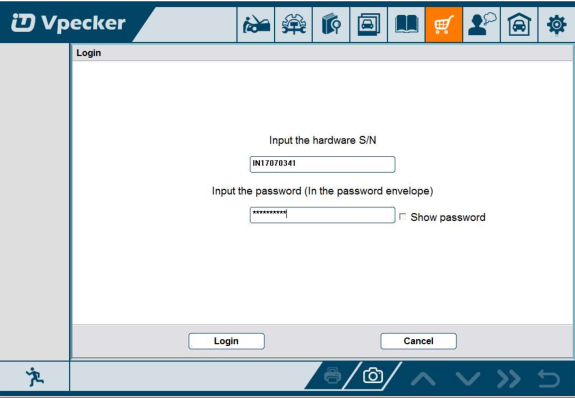
Please enter the S/N number and password get from the envelope, and then click “Login”.


Please click “Login”.

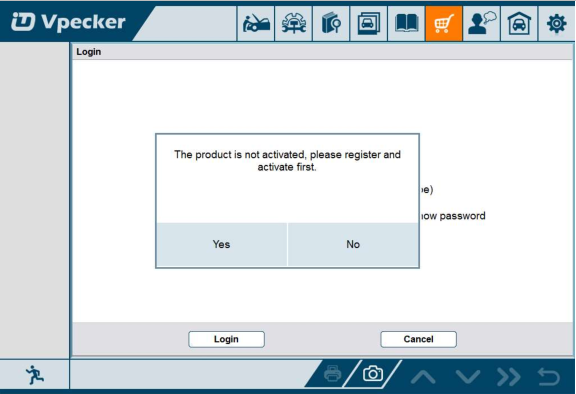
If the product is not activated, please click “Yes”.

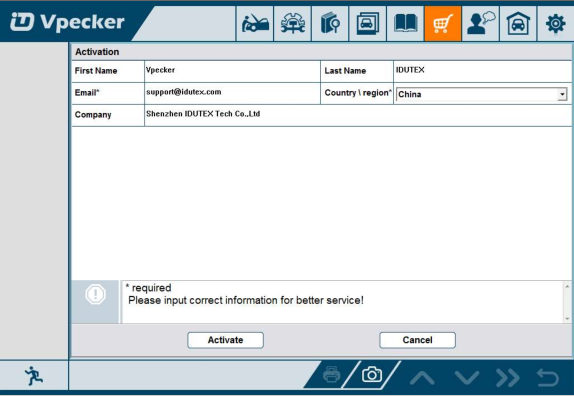
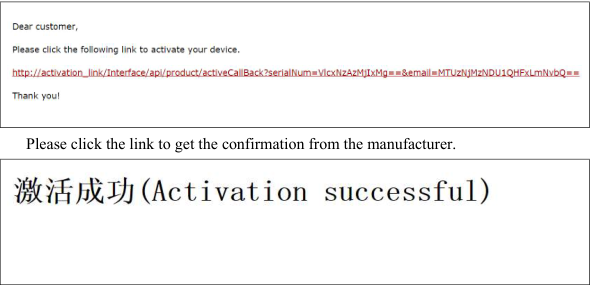
Please input your information, the Email address and country are required, and then click “Activate”.

Note:
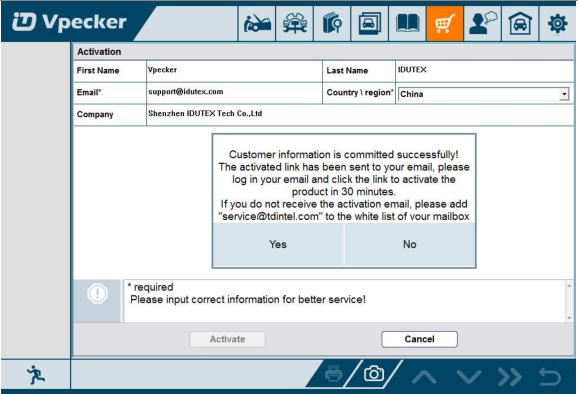
Your email address must be real in order to get the activated link and the further better service from the manufacturer. The software update reminder and the new product release information will be sent to your email.
If you do not receive the activation email, please add”service@IDUTEX.com” to the white list of your mailbox and try the activation process again.
Company name: company name must be filled in and the length is within 250 characters.
Country: please choice your country in the list.

3.2 Software Downloads

After the activation, please login the online store again, and get the APPs upgrade.

Please, click “Login” to download the software.

There are three modes for downloading, one by one and one-click. It may take a long time to download all the software, due to customers’ network speed reason.

3.3 Software Management

Users can delete vehicle software here. You can delete one by one or all-selected delete.


Vpecker Easydiag Indian Version Diagnosis Service System (DSS)
Features
● Extensive vehicle coverage for more than 70 brands worldwide including Asian,
Indian, European, American vehicle makes.
● Complete function capability including live data, ECU programming and so many
others.
● Unparalleled OBDII functionalities-support ALL 5 OBDII protocols and ALL 10
test modes.
● Can check out the year and model of the vehicles automatically and quickly.
● The genuine Windows 8 and Windows 10 operating systems allows for more stable

Vpecker India Vehicle Coverage:
Asia: ASIAGM, CHANGAN, CHANGHE,DAEWOO, DAIHATSU, FOTON, FUSO, GWM, HBSH, HUACHEN, INFINITI, ISUZU, MAZDA, NISSAN, PERODUA, PROTON, SSANGYONG, SUZUKI, WULING, BYD, ACURA,CHERY, EMGRAND, ENGLON, GEELY, GLEAGLE, HONDA, KIA, LEXUS,LIFAN, MITSUBISHI, SUBARU, TOYOTA, YUAN, ect.
India: MAHINDRA, MARUTI, TATA, OBDII ect.
Europe: ABARTH, ALFA ROMEO, ASTON MARTIN, AUDI, BENTLEY, BENZ, BMW, BUGATTI, CITROEN, DACIA, FERRARI, FIAT, FORDEU, JAGUAR, LAMBORGHINI, LANCIA, LANDROVER, MASERTI, MINI, OPEL, PEUGEOT, RENAULT, ROLLS ROYCE, SAAB, SEAT, SKODA, SMART, VAUXHALL, VOLVO, VW, PORSCHE, etc.
America: CHRYSLER(AMERICA), FORD, GM, JEEP, etc.

How to use BMW FEM BDC Test Platform for F20 F30 F35 X5 X6 I3

BMW FEM BDC Test Platform is a powerful tool for key programming, ecu and gearbox coding. It’s necessary for automotive locksmith, car electronics technician, auto repair shop.
bmw-fem-data-test-platform-1
bmw-fem-data-test-platform-2
Function:
with your FEM/BDC keys, FEM BDC Module Testing Platform is easy to detect FEM BDC Control Module in good condition. No need start-stop button.
Designed with 4 interfaces. It is used for making FEM and BDC keys, suitable for connecting the dashboard, keys, FEM, ECU and Gearbox.

Fits model: 
BMW F20 F30 F35 X5 X6 I3 etc

Feature:
No need to test them on the car, very convenient and efficient.

Compatible device:
Can works alone or works with BMW FEM key programmers, i.e Yanhua BMW-FEM,BMW Explorer, VVDI2 BMW,  CGDI Prog and BMW F-series FEM Blade key etc


How to use BMW FEM BDC Test Platform?


bmw-fem-bdc-test-platform-1
Pic. 1: the adapters are insert into the testing platform. 
bmw-fem-bdc-test-platform-2
Pic. 2: Connect well the harness and the ignition switch is in the OFF status, ensure the voltage is 12V.  
bmw-fem-bdc-test-platform-3
Pic.3: Put the FEM key into the sensing area, press the "Enter" button and the red LED  flashes.
bmw-fem-bdc-test-platform-4
Press the "Enter" button, the screen displays FEM BDC TESTS:11.2V, the battery icon on the screen turns up, means it starts OK.
Again press the "ENTER" button and ACC OK
Again press the "ENTER" OFF OK
Then FEM BDC test OK, if no connect to FEM BDC, if not ok, it displays: NO FIND FEM BDC HOST. 

Vpecker E4 Tablet/Phone Vehicle Software Update

Hot  Vpecker E4 Tablet  and  Vpecker E4 Phone  Scanner now both update V13.3 This update add new function to HONDA, ACURA, LEXUS, SCION ...